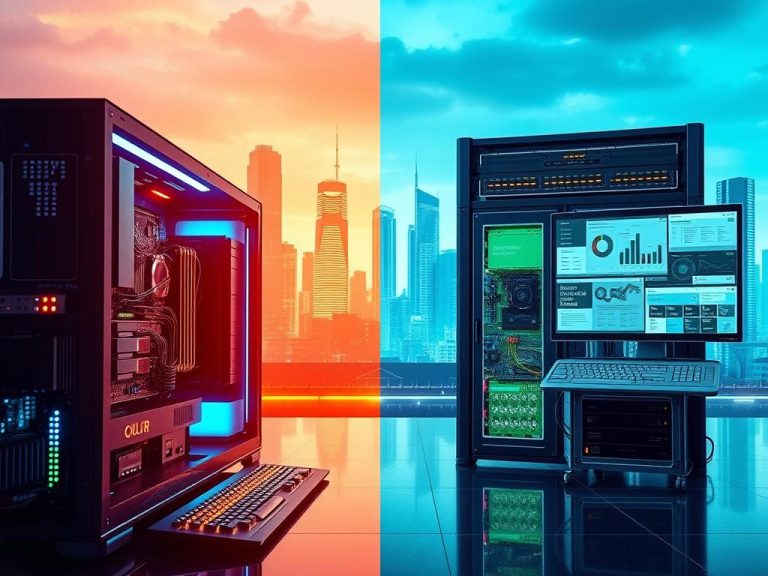
What Is The Price for a Good Gaming PC? A Complete Guide
A good gaming PC is one that plays the games you care about smoothly at the resolution your screen supports. In the United States, the right budget depends on the games you play and the display you plan to use. A GPU, or graphics processing unit, renders game visuals and has a major effect on resolution and frame rate.
Smooth gaming is commonly described as 60 FPS or higher, from 1080p to 4K. But you do not need the most expensive parts to enjoy good performance. A comfortable frame rate at your chosen resolution matters more than a premium component you cannot fully use.
A PC tower is the desktop alone, without a monitor or peripherals. A complete gaming setup adds a display and controls, such as a keyboard and mouse. This guide gives you a practical way to compare costs and choose a budget that fits your games, screen and plans.
Choose your target resolution and frame rate before setting a parts budget.
A PC tower does not include a monitor or other peripherals.
Display resolution and graphics settings affect the GPU you need.
A prebuilt offers assembled hardware; a custom build gives you part-selection control.
Include software, peripherals, tax and shipping in your spending limit.
Start with the games and monitor you already have, then set a firm ceiling for the whole setup.
What Is the Price for a Good Gaming PC?
In October 2026, a parts-built gaming PC ranges from about $1,180 at the budget end to $4,700 at the high end, before an operating system and peripherals. The middle planning band is $1,450-$2,190 for the PC tower alone.
In October 2026, plan for about $1,180-$4,700 for a parts-built tower, or $1,450-$2,190 for a middle-range system, before software and peripherals.
Those October 2026 estimates describe the tower, not a ready-to-use complete gaming setup. They exclude both the operating system and peripherals, so the good gaming cost rises when you add a screen, keyboard, mouse and headset.
People asking what the price for a good gaming PC was in 2021 should not treat an older figure as a direct comparison. Parts, availability and performance targets change over time, so a 2021 price does not reliably describe a 2026 configuration.
How much good gaming performance you get for a given price depends on your chosen parts and target. A good gaming cost estimate starts with the tower, then accounts for the extra items you need before you can play.
That distinction also helps explain why gaming cost figures online can look far apart. One price may cover a PC tower, while another includes a monitor or a complete setup. Check the item list before comparing prices for PCs.
Treat the tower estimate as a starting point, not the total you need to get gaming.
What Does Each Gaming PC Budget Buy?
An entry-level PC is enough for 1080p, while higher budgets buy headroom for sharper resolutions and more demanding settings. The best tier is the one that fits your display and games, not simply the highest one you can afford.
HP’s April 2026 guide groups entry-level PCs at $1,000-$1,200, mid-range systems at $1,200-$2,200, and high-end PCs at $2,200-$4,500 and up. Its graphics card classes give a useful starting point for each tier.
Tier
PC price range
Representative GPU class
Target use
Entry-level
$1,000-$1,200
RTX 5060 or RX 7600
1080p gaming
Mid-range
$1,200-$2,200
RTX 5070 or RTX 5070 Ti
1440p gaming
High-end
$2,200-$4,500 and up
RTX 5080 or RTX 5090
4K and demanding workloads
Entry-level: 1080p gaming
An entry-level tower is a sensible first PC if you mainly play at 1080p. Magic Micro puts a budget build at $800-$1,100, while its budget GPU options stay above 60 FPS at 1440p on medium settings.
One October 2026 example is a $1,182 Desky build with 16GB of RAM and a Radeon RX 7600, aimed at 1080p. That concrete price reflects one configuration, not a promise that every system at this tier performs the same.
Mid-range: 1440p performance
The mid-range is often the sweet spot for gamers who want sharper visuals without paying for top-tier hardware. Magic Micro recommends about $1,200-$1,800 for 1440p gaming at 144 to 165Hz.
Desky’s October 2026 examples include a $1,452 build with 16GB of RAM and an RTX 5060 Ti 8GB for 1080p-to-1440p. Its $2,189 option has 32GB of RAM and an RTX 5060 Ti 16GB, targeting 1440p.
High-end: 4K and intensive workloads
High-end systems suit 4K gaming, high-refresh displays and demanding work beyond games. Magic Micro prices its high-end build at $2,500-$3,500 and suggests it for buyers who want to keep a PC for five or more years.
Desky’s examples range from $2,505 with 32GB of RAM and a Radeon RX 9070 XT for 1440p-to-4K, to $4,695 with 32GB and an RTX 5080 for 4K. Other 2026 estimates use different tier boundaries, so compare the exact parts.
A $5,000 PC is more defensible for 4K, high refresh rates or demanding creative workloads than for ordinary 1080p play. It also exceeds the October 2026 high-end parts-build example listed here. Pay for a high-end tier only when your display, games or other workloads can use its extra capacity.
Which Resolution and Frame Rate Should You Budget For?
A 1080p player can spend less than a 4K player because the graphics card has fewer pixels to render. Choose a resolution and frame-rate target together, since high settings can ask more of a GPU than lower settings at the same resolution.
HP estimates entry-level PCs can deliver 1080p gaming at 60+ FPS on medium-to-high settings. It estimates mid-range PCs can reach 1440p at 100+ FPS on high settings for most titles. HP describes high-end systems as aiming for 4K at 60+ FPS with maximum settings and full ray tracing.
Those are useful targets, not guarantees for every game. Magic Micro lists RTX 5060 Ti and RX 8700 XT cards at around $350-$430, with 100 to 144 FPS at 1080p on high settings in major 2026 games. Your results change with the title and graphics options.
Competitive esports players may value refresh rate more than 4K detail. Valorant, League of Legends, Fortnite and CS2 are esports titles where fast gameplay can make a high-refresh display appealing. A 144Hz-165Hz monitor suits many players, while 240Hz-360Hz displays target especially fast competitive play.
Before choosing a GPU, answer these four questions:
Target resolution: will you play at 1080p, 1440p or 4K?
Monitor refresh rate: is the screen 60Hz, 144Hz-165Hz or faster?
Most demanding games: which titles set your performance needs?
Ray tracing: do you want its lighting effects, or would you rather prioritize frame rate?
Magic Micro recommends an RTX 5080 as its minimum for 4K gaming and lists it with 16GB of GDDR7. The card class is one factor; the frame rate you get still depends on settings and the game.
Match the GPU to the resolution and refresh rate you will actually use, not a frame-rate claim detached from settings.
How Much Does a Complete Gaming Setup Cost?
The complete setup costs more than the tower because a monitor, controls, headset and software can all add to the bill. In October 2026, setup estimates run from $1,543 to $6,671 before a desk and chair.
The totals below include a PC, monitor, keyboard, mouse and headset. They exclude a desk, chair and Windows license, so software needs a separate allowance of $95-$215.
Setup tier
Complete setup total
Monitor estimate
Keyboard, mouse and headset
Budget
$1,543-$1,645
$200-$250, 1080p
About $161-$213 at deal or list prices
Mid-range
$2,052-$2,989
$300-$350, 1440p
$300-$450
High-end
$3,455-$6,671
$500-$1,300, 4K or OLED
$450-$680
Monitor and resolution
Monitor choice can move the total substantially. Estimated floor prices are $200-$250 for 1080p, $300-$350 for 1440p and $500-$1,300 for 4K or OLED. A higher-resolution screen may make sense for your games, but it can claim a large share of the budget.
A monitor’s price and the PC’s graphics capability should match. A costly 4K display does not improve a tower that struggles to run your games at that resolution. Leave room in the budget for both pieces of the experience.
Keyboard, mouse and headset
For a basic bundle, a keyboard, wireless mouse and wireless headset together are estimated at about $161 at deal prices or $213 at list prices. Mid-range versions are estimated at $300-$450, with high-end choices at $450-$680.
These are estimates, not required spending levels. If you already own a keyboard or headset that works for you, using it can lower the setup cost without changing the PC itself.
Software and the bundle total
A May 2026 XOTIC PC example shows how individual prices add up. Its entry-level bundle combines a $939 G5 Pop 2 Vision desktop, a $149 MSI MAG 244C monitor, a $49 mechanical RGB keyboard, a $49 Razer DeathAdder Essential mouse, a $29 MSI H991 headset and a $19 mousepad.
Those listed items total about $1,234. XOTIC PC’s Focus Ghost mid-range bundle is another example at about $2,234, while its GX11 H9 Flow premium bundle is about $3,200 or more. These are examples, not recommendations, and their included items differ from the October setup estimates.
Before comparing two PC prices, check that both totals include the same display, peripherals and operating-system costs.
Which Components Have the Biggest Effect on Gaming PC Cost?
The GPU usually drives the biggest gaming-performance difference, while the CPU and supporting parts determine how balanced the finished system is. GPUs can account for 30%-40% of a build’s total cost, and exact component estimates can vary sharply between configurations.
The price ranges below are planning estimates, not a live quote. One April 2026 guide puts entry-level GPUs at $250-$400 and high-end cards above $4,500. Another component-cost guide gives broader estimates by tier:
Component
Entry-level estimate
Mid-range estimate
High-end estimate
GPU
$300-$600
$700-$1,000
$1,500-$4,000+
CPU
$150-$400
$250-$600
$400-$800
RAM
$100-$300, 16GB
$400-$600, 32GB
$800-$1,300, 32GB-64GB
SSD storage
$100-$300, 512GB-1TB
$100-$500, 1-2TB
$400-$1,000, 2-4TB
GPU and CPU
The GPU renders game graphics, while the CPU handles game instructions and other system tasks. A demanding GPU also affects the power supply, case space and cooling you need. The RTX 5090 has 32GB of GDDR7 memory and draws close to 575W under load.
That kind of power draw shows why a headline GPU price cannot tell you the full hardware cost. Check the card’s power connectors and the power supply’s capacity, then confirm there is enough room in the case.
RAM and storage
RAM holds data that games and open programs need quickly. Choose capacity for the games and background tasks you actually run; more RAM does not automatically raise frame rates when capacity is not the limit.
Storage affects how many games fit on the PC and how quickly files load. A 512GB SSD may fill sooner than a 1TB or 2TB drive if you keep several large games installed.
Motherboard, power supply, case and cooling
Motherboard estimates are $100-$150 entry-level, $150-$250 mid-range and $250-$400 high-end. Power supply estimates are $60-$90, $90-$150 and $150-$250. The case and cooling range from $70-$120 at entry level to $200-$350 at the high end.
Power needs depend on the exact parts, not only the tier name. A higher-wattage GPU may need a stronger PSU and the correct connectors, while a larger card needs case clearance. Air coolers and liquid coolers both cool CPUs; an AIO moves heat from a CPU plate through tubes to a radiator.
80 PLUS efficiency labels include Standard, Bronze, Silver, Gold, Platinum, Titanium and Ruby. Platinum is not the highest tier. Compare the complete compatible parts list, not a single headline component price.
Is a Prebuilt Gaming PC Worth the Extra Cost?
A prebuilt is worth paying more for when assembled hardware and one system-level buying experience matter more than choosing every part yourself. Prebuilt gaming PCs typically carry a 10%-20% premium over custom builds.
A prebuilt arrives assembled and receives initial testing from the seller. A custom build gives you more control over parts, but you handle compatibility checks, assembly and troubleshooting. Building and installing an operating system can take 3-6 hours.
Skytech model
Listed price
GPU
CPU, RAM and storage
Azure 3
$1,999.99
RTX 5060 Ti 8GB
Intel U7 265K, 32GB DDR5 6000MHz, 1TB NVMe
Azure 3
$2,049.99
Radeon 9070 XT 16GB
Ryzen 7 7700X, 16GB DDR5 6000MHz, 1TB NVMe
King 45
$2,799.99
RTX 5070 Ti 16GB
Ryzen 7 9850X3D, 32GB DDR5 6000MHz, 2TB Gen4 NVMe
Prism 5
$3,599.99
RTX 5080 16GB
Ryzen 7 9850X3D, 32GB DDR5 6000MHz, 2TB Gen4 NVMe
What a prebuilt includes
The listed Skytech systems show how parts vary even among prebuilt options. The $1,999.99 Azure 3 has 32GB of RAM, while the $2,049.99 Azure 3 has 16GB and a different graphics card. Their prices alone do not tell you which fits your games.
Convenience has value if you want one assembled system rather than a box of parts and a long evening of setup. Confirm what the seller covers, including the system warranty, support and initial configuration.
What a custom build asks of you
A custom build lets you select each part and may avoid some of the prebuilt premium. You also need to confirm that the CPU, motherboard, memory, GPU and power supply work together before buying.
Choose the route that fits your time and confidence as well as your cost ceiling. Compare equivalent graphics cards and memory before treating two prebuilt sticker prices as a like-for-like deal.
How Can You Stretch Your Gaming PC Budget?
A tight budget goes further when you decide which performance you need now and which upgrades can wait. A $500 budget may work with used or reused parts or integrated graphics, but it does not guarantee a new tower with a gaming GPU.
A 2026 build-planning guide treats $500-$800 as a starter budget that may require reused parts, used parts or integrated graphics. It puts $1,200-$2,000 in a planning range for a more capable tower. Neither figure promises a specific frame rate.
Spend where performance changes
Compare current prices on the parts that most affect the games you play. A sale can offer real value, but a low sticker price matters only if the part fits your system and performance target.
Reputable used or refurbished parts can stretch a budget. Check the model, condition and return terms, and be cautious about buying a used component without enough information to judge its state.
Upgrade in stages
You can begin with compatible parts you already own, then add upgrades as your needs change. Desktop PCs are generally easier to configure and upgrade than gaming laptops, though your motherboard and PSU set limits on later changes.
Use this four-step plan before you spend:
Compare current component deals against the exact models you need.
Consider reputable used or refurbished parts with clear return terms.
Reuse compatible parts, such as a storage drive or peripherals.
Plan staged upgrades around the motherboard and PSU.
OBS Studio is free and open source, so you can avoid a streaming-software cost. That leaves more of your budget for the PC or other gear you need.
Keep the hard budget ceiling intact after tax and shipping, even when a sale makes one part look tempting.
What Should You Check Before You Buy?
A compatibility check can prevent an expensive parts list from becoming a PC that will not boot. Confirm that the CPU, motherboard, memory and power connections match before paying.
Similar product names do not mean parts fit together. A Ryzen 7 7800X3D requires an AM5 motherboard and DDR5 memory, while the MSI B550-A PRO uses AM4 and DDR4 slots, so that board cannot run the processor.
Intel Core Ultra desktop Series 2 processors use LGA1851 and compatible Intel 800-series chipsets. The ROG Strix Z790-E Gaming WiFi uses LGA1700, making it incompatible with those processors. Check the socket and chipset, not just the brand name.
Compatibility and full cost
Check the CPU socket, motherboard, memory generation, GPU power connectors, case clearance and storage interface. The power supply must suit the exact components; 650W+ is a starting recommendation in some build guidance, not a guarantee for every system.
Include the operating system, tax and shipping when totaling your cost. For a prebuilt, confirm which features and parts are included in the listed configuration. A tower price may not cover the software or display you need.
Before checkout, review this five-item list:
Exact part models, including the GPU and power supply.
Compatibility across CPU, motherboard, memory, case and storage.
Operating system and any license cost.
Tax and shipping in the final price.
Warranty coverage, return terms and support process.
Warranty, support and upgrade needs
A prebuilt warranty may cover the complete system for 1-3 years. With a custom build, warranty coverage attaches to individual parts. Check whether the seller or manufacturer covers labor, shipping and troubleshooting.
Also consider who handles a fault. A system-level support contact may simplify help with a prebuilt, while a custom build can mean working with separate component makers. Read the written warranty and return terms before placing the order.
Before payment, match every major part and confirm who covers repairs, shipping and troubleshooting. A compatible build and clear written terms protect your budget.
Conclusion
The right price is the one that meets your gaming target without forcing you to pay for performance your screen cannot show. Choose parts around the display and games you use, then budget for the complete setup rather than only the tower.
A 4K OLED monitor can add $600-$900 to a gaming bundle’s total, so confirm the display cost before locking in your budget. Write down your target resolution, refresh rate and full budget, then compare complete configurations against those three limits.
FAQ
How much should a good gaming PC cost?
In October 2026, a parts-built gaming PC costs about $1,180-$4,700 for the tower, with $1,450-$2,190 as a middle-range planning band. Those estimates exclude an operating system and peripherals. A monitor, keyboard, mouse and headset can raise the total, so decide whether a listed price covers the tower or everything you need to play.
What’s the cost of a decent gaming PC?
A decent mid-range gaming PC tower is estimated at $1,450-$2,190 in October 2026, before an operating system and peripherals. That range can suit buyers looking for stronger performance than an entry-level system. A monitor, keyboard, mouse and headset raise the total, so compare prices only after checking which parts and extras are included.
What is the average cost of a gaming PC?
Use $1,450-$2,190 as a middle-range planning band for a tower, rather than treating it as a calculated market average. The right choice depends on the resolution and frame rate you want, along with the included parts. A 1080p system and a 4K system have different performance goals, and setup extras change the final cost.
Is a $2000 PC good for gaming?
Yes, a $2,000 PC sits near the mid-range ceiling and can suit 1440p gaming, depending on its exact GPU and display. Check the graphics card model, RAM, storage and power supply rather than judging the tower by price alone. A $2,000 complete setup may include less powerful hardware if that total also covers a monitor and peripherals.
How long will a $1000 gaming PC last?
A typical gaming PC may remain useful for about 3-5 years, though a $1,000 system can age faster with demanding new games. Resolution, graphics settings and the games you play all affect how long performance feels comfortable. Lowering settings can extend useful life, while newer titles and higher resolutions can make an upgrade feel necessary sooner.
Is $1500 too much for a PC?
No, $1,500 falls within the October 2026 mid-range tower estimates of $1,450-$2,190. It can be a reasonable budget for a parts-built PC, depending on the GPU and other components. Check whether the price includes a monitor, operating system or peripherals, since those extras can make two systems at the same price very different.
Can a 500$ PC run Fortnite?
A $500 PC may run Fortnite with used or reused parts and adjusted settings, but a new tower with a discrete gaming GPU is not guaranteed at that price. Integrated graphics may be another option, depending on the processor. Before buying, check the exact hardware and the game settings you are willing to use.
Is $3000 a good price for a PC?
$3,000 can make sense for 4K gaming, high refresh rates or demanding creative work, but it is usually more than you need for basic 1080p gaming. Compare the exact GPU, CPU and memory against your display and workload. Also check whether the figure covers only the tower or includes a monitor and peripherals.
How Technology Transforms Employee Training The way we learn and develop skills has changed a lot in recent years. Digital learning platforms let employees access training anytime, anywhere. This has opened new doors for employee growth and changed how we train at work. Technology is now key for improving employee development programs. Employee training is…
The Many Ways Technology Improves Our Daily Lives Modern advancements shape nearly every aspect of daily routines. From smart homes to telemedicine, innovations streamline tasks and create new opportunities. Over 58% of Americans now consider internet access essential, reflecting its deep integration into society. The pandemic accelerated digital adoption, with 46% of remote workers relying…
What Is Hardware in a Computer? A Simple Definition In today’s world, knowing about computer hardware is key. It includes parts like the CPU, hard drives, and graphics cards. These are vital for a computer to work well. Computer hardware covers all the physical parts of a computer system. This includes parts for storing data,…
Tools Used by Computer Engineers to Create Hardware Models Computer engineers use many design tools to make new hardware models. They aim for efficient design and development. The computer engineering webpage shows how important hardware modeling is. They use tools like CAD software and HDL to make their designs real. Hardware modeling is key for…
Information Technology vs. Information Systems: What’s the Difference? Understanding the difference between Information Technology (IT) and Information Systems (IS) is vital in today’s digital world. These domains represent distinct yet connected aspects of technological infrastructure1. IT and IS play crucial roles in modern organisations. IT professionals manage technical infrastructure, while IS specialists focus on strategic…
What Is Multimedia Technology in Education? Benefits & Uses Multimedia technology in education blends digital resources to boost learning1. It mixes text, images, audio, and video to create lively learning spaces2. This approach makes lessons more engaging and easier to grasp. Digital learning has changed how we teach and learn. It offers interactive and tailored…